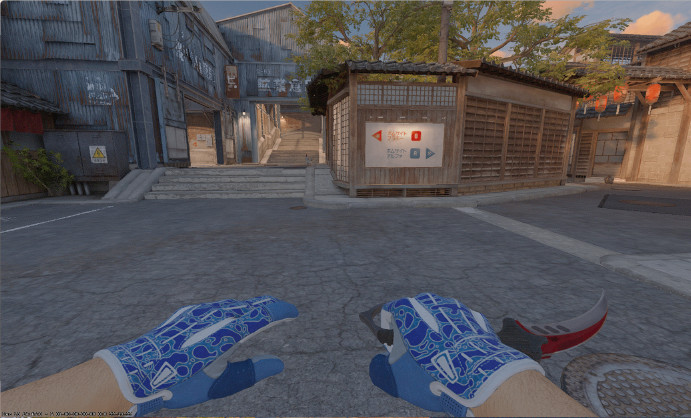
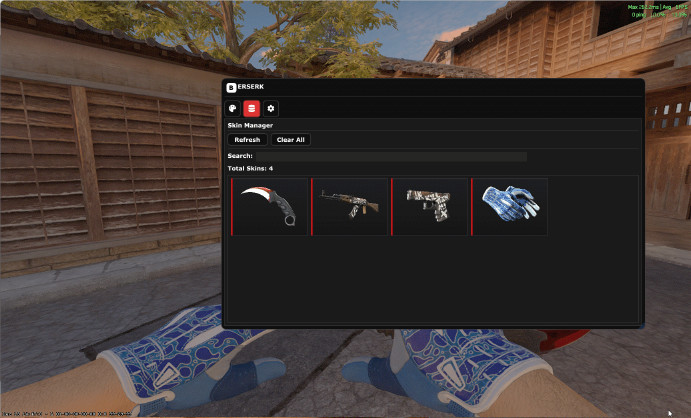
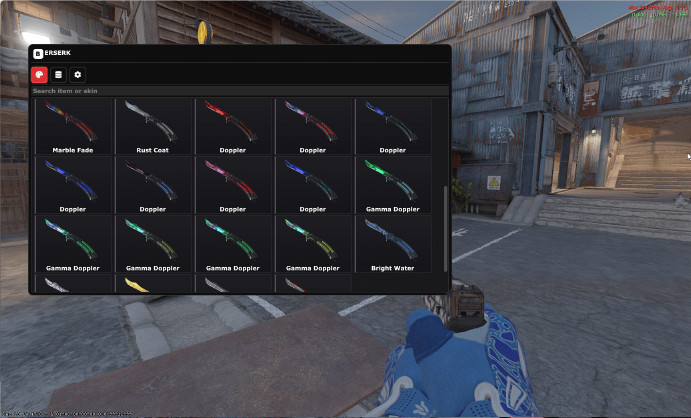
BERSERK Changer - free skinchanger for CS2 unlocking access to all cosmetic items in game. Download BERSERK Changer through ExLoader - this safe inventory changer is virus-free with complete skin collection. This CS2 skinchanger includes absolutely all knives from Karambit to Bayonet with any finishes including Doppler and Fade, full glove collection from Sport to Specialist with rarest patterns, all CT and T agents for character personalization. Free BERSERK changer for Counter-Strike 2 supports any weapon skins including AWP Dragon Lore, AK-47 Wild Lotus and M4A4 Howl. Key functionality: Float Value selection for adjusting skin wear, applying stickers on weapons, configuring StatTrak counters, editing keychains, saving inventory presets for quick switching. Skins visible only to you without affecting other players. BERSERK Inventory Changer updates after every Valve patch adding new released items automatically. The changer features intuitive interface for easy skin selection. Download BERSERK Changer through ExLoader and play with most expensive skins completely free!
vladnormchel











 Osiris v2


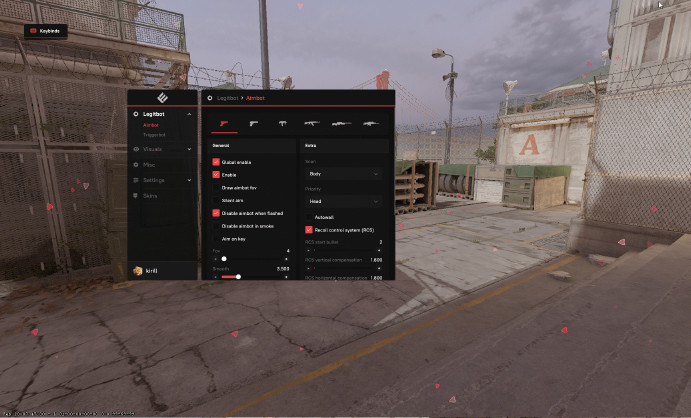 Enigma Legit (V1.1)
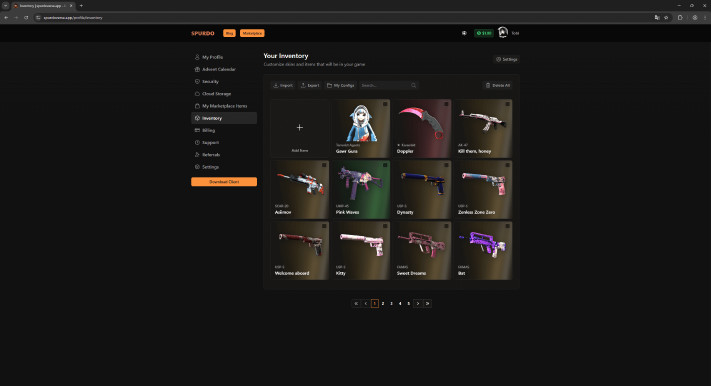 SpurdoChanger
Popular reviews
kryeex
04 January 2026
0
Microsoft Visual C++ Runtime Library Assertion Failed! Program:...ter-Strike Global Offensive\game\bin\win64\cs2.exe File: C:\Users\kot\source\repos\berserks...\imgui_i...x11.cpp Line: 672 Expression: 0 && "ImGui_ImplDX1
emirhancanikati0606
11 January 2026
0
add case open cheat :)
eburg506
22 January 2026
3
keep crashing when opening cs2
maxime.beck11
09 January 2026
0
Really nice mod . I really like it. It's simple to use and it's working perfectly (well for now I didn't got any problems) One thing that I miss is the Soundtracks replacment otherwise you're doing well.
DontKnowWho
09 January 2026
2
hello i would like to know if you are one day going to add stickers and charms
iwankapi9
16 January 2026
1
Maybe remove the sliders for pattern and wear, make it so you can just type it in.
gn4sh187
10 January 2026
1
this would be amazing for us, instead of a slider for float and pattern id, how about we can type in the number ourselves, i hope this will be considered soon, the slider is very innaccurate
streetcarspecial666
04 January 2026
0
vice gloves appear in loadout equipped but never in game pls fix
u4368236128
10 January 2026
0
legit, no ban best skinchanger!
sandromirianashvili0133
09 January 2026
0
how tf are that 4% getting banned
HEYDARPRO
15 January 2026
1
does it have working cases?
daragodunova803
06 January 2026
0
читынаstandoff2 RenderTexture.Create failed: depth/stencil format unsupported - D32 SFloat S8 UInt (94). There is no compatible format on this platform or this
connorgolwaz
18 January 2026
1
the problem IS I cant get the sticker everything is good but you need to improve for skins I can lunch sharkhack but you have one thing that nobody has is cases and stickers. just try to solve this problem
breabpac
05 January 2026
0
please add achroma, i need my white loadout
jan.palek3
20 January 2026
0
pls add music kits
tamcomsaudade
11 January 2026
1
fix this please, this gonna be the best skin changer free of the world
vabence84
09 January 2026
0
idk why but i choose a knife skin like doppler and ingame i only has the default knife. Any solution?
kubakubalinski85
20 January 2026
0
this skinchanger isn't even work i just want to play with preety skins without cheats but i can't
luca.houpapa
21 January 2026
1
Can you please make it so when picking a pattern for a knife or anything you can just type it out because right now the current slider passes a lot of numbers that have good patterns. Thanks!
szvendelpeter
18 January 2026
0
Can i get ban if i only play against bots???
vladpetria5
10 January 2026
0
for me it says 'loading inventory...' and its like that for the whole day
adityayadavvv1029
08 January 2026
1
if I use the skinchanger, will I get banned?
Lkalabresa099
10 January 2026
1
Could you add a feature that allows us to choose the pattern precisely? It would be great, for example, to be able to write the specific pattern
bencen.049
09 January 2026
0
works fine, had like one crash. Can you add save button so i can save various loudouts and maybe music kits. overall pretty nice
imien546
15 January 2026
1
Hello add charms and maybe sticker please <3 Its very good
jebaniekurewzcheatami
04 January 2026
0
Its ok, but it need to have typing method of changing pattern, itp. couse its impossible to change on some of them. Example: 55 pattern in Talon Case Hardened. I couldnt get it because changing 1 pixel change 52-56.
dextolreal
11 January 2026
1
In game modes like competitive mode, the knife animation reverts to normal during warm-up, and the same is true in deathmatch. If this issue is fixed, it would be a really good skin changer.Adding stickers and crates pls
snehulaklukas
19 January 2026
-2
love it but please the case opeping not working please fix it
mateusbsocial
04 January 2026
0
just a simple skin changer, if u want skins and stickers just use enigma legit 1.1, cause on this one they just have the skin and thats it
maqiony
05 January 2026
0
I got VAC, thank you...
Nvr3ps
04 January 2026
0
THANK U the best skinchanger
cameronhoward2022
20 January 2026
0
it does not show the skin on knife for me
lucacelottirojo
11 January 2026
0
Add stickers please, and keychains or crates o capsule crates pleaseee
maphsmophs
18 January 2026
0
when i load the game i apply the skins but i doesnt work and i cant see the skins and i have the deafault ones
gvido.kuless
10 January 2026
1
why with cases is something wrong
tothm283
19 January 2026
0
cs 2 crashes mid game
abderrahmaneguettache44
06 January 2026
0
Please enter the level in the script. XP
You can leave a comment for this modification in the ExLoader app!